

TL;DR:
- The Garmin Vivosmart 5 is the best overall fitness tracker for independent seniors because of its long battery life and simple use. The Apple Watch SE offers emergency safety features but requires daily charging and an iPhone, making it less ideal for low-tech users. Each device should be part of a broader independence plan that includes emergency preparedness and support networks.
The Garmin Vivosmart 5 is the top overall pick for independent seniors: long battery life, a readable display, and no daily charging stress. If you use an iPhone and want built-in emergency calling, the Apple Watch SE is the stronger safety choice. Here's the short version:
- Best overall for solo agers: Garmin Vivosmart 5 — simple, long battery, low-tech setup
- Best for iPhone users and emergency features: Apple Watch SE (U.S. model) — fall detection, Emergency SOS, cellular option
- Best for health metrics with a larger screen: Fitbit Versa 4 — readable display, solid app, midrange price
- Best for deeper health monitoring: Fitbit Charge 6 — ECG-like checks, detailed sleep data, compact band
One thing worth knowing upfront: a tracker is a helpful tool, not a complete safety plan. Standalone devices that work without a phone tend to get used consistently, while phone-dependent setups often get abandoned. Pairing any wearable with broader independence planning gives you a real safety net, not just a gadget on your wrist.
Table of Contents
- Which fitness tracker is best for independent seniors?
- How does each tracker hold up for real senior use?
- How do you choose and set up a tracker without tech stress?
- Agingsolo helps you build a plan around your tracker
- Key Takeaways
- FAQ
Which fitness tracker is best for independent seniors?
| Feature | Apple Watch SE | Fitbit Versa 4 | Fitbit Charge 6 | Garmin Vivosmart 5 |
|---|---|---|---|---|
| Best for | iPhone users needing emergency features | Larger display, richer health data | Deeper monitoring, ECG, sleep | Long battery, simple daily wear |
| Display / readability | bright, customizable display | 1.58" AMOLED, large, clear | compact AMOLED display | simple, high contrast OLED display |
| Ease of use | Moderate (watchOS learning curve) | Moderate (Fitbit app required) | Moderate (app-dependent) | Easy (minimal menus) |
| Battery life | 18 hours typical | 4–6 days | 7 days | Up to 7 days |
| Health/emergency features | Fall detection, Emergency SOS, heart rate, SpO2 | Heart rate, SpO2, sleep, stress | ECG, heart rate, SpO2, sleep readiness | Heart rate, steps, sleep, stress |
| Subscription | Optional (Apple Fitness+) | Optional (Fitbit Premium) | Optional (Fitbit Premium) | None required |
| Compatibility | iPhone only | iOS and Android | iOS and Android | iOS and Android |
| Durability / water resistance | WR50M (swim-proof) | 50M water resistant | 50M water resistant | 5 ATM water resistant |
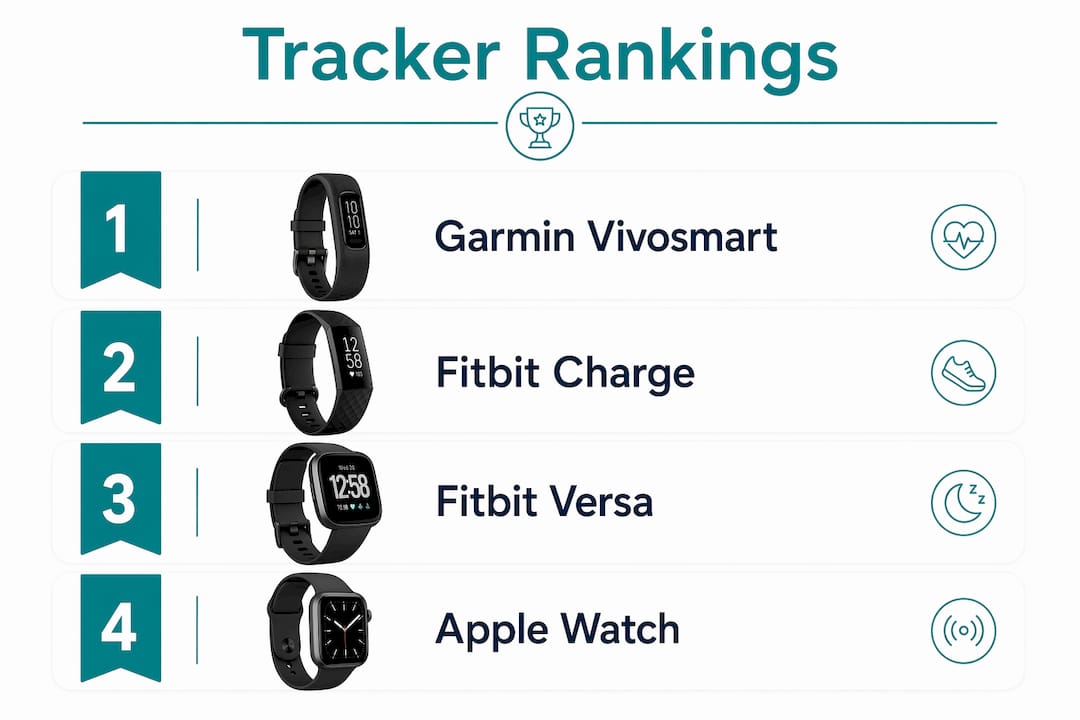
Battery life is one of the most underestimated factors. Midrange bands can last multiple days on a single charge, while full smartwatches often need daily charging. For anyone with a busy routine or memory concerns, that gap matters.
A few things to keep in mind as you compare:
- Subscription costs: Core tracking features on all four devices work without a paid subscription. Subscription-free trackers offer better long-term value for seniors whose main goals are steps, heart rate, and sleep.
- Phone dependency: The Apple Watch SE requires an iPhone. The Garmin Vivosmart 5 syncs with a phone but displays data on the watch itself, so you're not phone-tethered for basic readings.
- Trackers as one part of a plan: No device replaces a thought-out independence plan that covers housing, emergency contacts, and support networks.
How does each tracker hold up for real senior use?
Apple Watch SE (U.S. model)
Pros: Fall detection and Emergency SOS are the standout features here. With a cellular plan, the watch can call 911 even if your iPhone isn't nearby. The display is bright and easy to read, and the watch face is customizable for larger text.
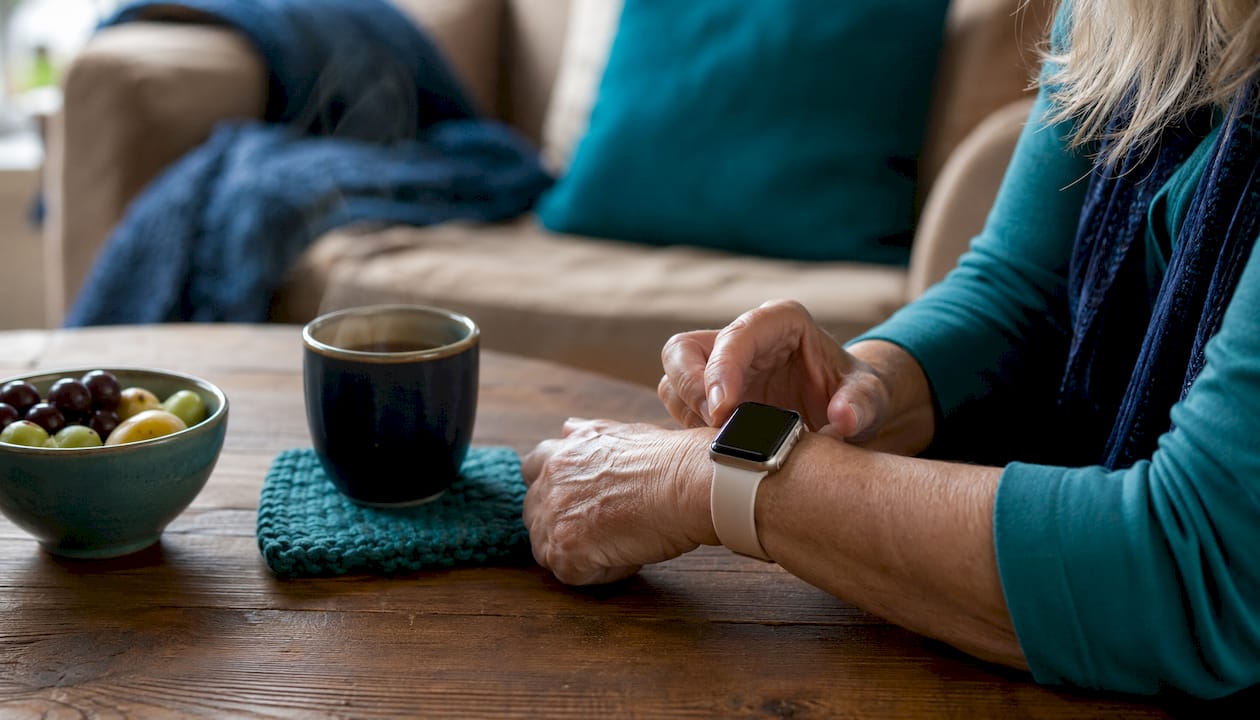
Cons: Battery life is the real limitation at roughly 18 hours. Daily charging is non-negotiable, which can be a problem if charging routines are hard to maintain. It also requires an iPhone, so Android users are out.
Fitbit Versa 4
Pros: The 1.58" AMOLED screen is one of the most readable on this list. Battery runs 4–6 days, which is a meaningful step up from the Apple Watch. It works with both iPhone and Android, and the Fitbit app is generally approachable for new users.
Cons: Some features, like guided workouts and deeper sleep analysis, sit behind the Fitbit Premium paywall. No fall detection. The app setup requires a smartphone and account creation.
Fitbit Charge 6
The Charge 6 is the most health-data-rich option in a band form factor. Its ECG-like feature and sleep readiness score give you trend data that goes beyond step counts. Midrange trackers with ECG features can provide genuinely useful health insights, though warranty and support quality vary and are worth confirming before you buy. The compact display is smaller than the Versa 4, which some seniors find harder to read at a glance.
Garmin Vivosmart 5
Simple is the word. The Vivosmart 5 focuses on steps, heart rate, sleep, and stress without burying you in menus. Battery life reaches up to 7 days with heart rate monitoring active. It works with both iOS and Android, and the Garmin Connect app is less cluttered than some competitors. No fall detection, but for seniors who want a steady, low-maintenance companion, it's hard to beat.
A note on no-phone-required options
If smartphone setup feels like too much of a barrier, there's a category of basic pedometer-style trackers that display data directly on the watch face with no app required. They sacrifice heart rate monitoring and sleep data, but they get worn consistently. Consistent daily wear predicts long-term benefit better than a feature list.
Pro Tip: Before setup day, charge the device fully and ask a family member or friend to sit with you for one session. Getting through the initial pairing together takes about 20 minutes and removes the biggest hurdle.
Fall detection can automatically alert emergency services when a hard fall is detected, but sensitivity varies by device and situation. Treat it as a helpful layer, not a guarantee. Pair any wearable alert with a solid emergency plan and a medical ID tag so first responders have your information even if the device doesn't trigger.
How do you choose and set up a tracker without tech stress?
Step-by-step decision checklist
- Assess your tech comfort. Do you use a smartphone regularly? If not, look at simpler bands or no-phone-required options first.
- Decide on phone dependency. If you want fall detection and Emergency SOS, the Apple Watch SE requires an iPhone. If you want flexibility, the Garmin or Fitbit options work with both platforms.
- Prioritize battery life. Aim for at least 5–7 days of real-world battery life if charging is something you might forget. Devices with longer battery life reduce daily friction significantly.
- Check readability in person. Try the display in-store if possible. High contrast and large fonts matter more than screen resolution.
- Confirm warranty and support. Check the manufacturer's return window and whether phone support is available. This matters more than most buyers expect.
Practical setup and maintenance tips
- Set up the device in one focused session with a helper if possible.
- Enable family or caregiver sharing in the Fitbit or Garmin app so someone you trust can check in on your activity.
- Charge on a consistent schedule tied to a daily habit, like overnight or during your morning coffee.
- Test Emergency SOS in a safe setting before you rely on it.
Red flags to avoid
- Subscription-locked core features: If basic step and heart rate tracking requires a monthly fee, look elsewhere.
- Tiny displays: A screen you can't read without glasses defeats the purpose.
- Daily-charge-only devices for anyone with memory concerns.
- Trackers requiring frequent app updates or new account creation every time you switch phones.
Where to buy: Best Buy and Target offer in-store demos and easy returns, which matters when you want to test strap comfort and screen readability before committing. Amazon is convenient but offers no hands-on help. For technology tools that fit into a broader independence plan, Agingsolo has practical guidance to help you decide what's right for your situation.
Agingsolo helps you build a plan around your tracker
A fitness tracker tells you how many steps you took. What it can't do is tell you who to call in an emergency, whether your home is set up safely, or how to build a support network when you're aging alone.
That's exactly where Agingsolo comes in. The Solo Aging planning guide helps you connect the dots between a wearable device and a real independence plan, covering emergency readiness, housing decisions, and support networks. The 45-minute Solo Aging Clarity Session via Zoom gives you personalized guidance on:
- Which tracker features actually matter for your living situation
- How to test and activate Emergency SOS safely
- Whether a phone is necessary for your setup
- Next steps for building a full safety and independence plan
You don't have to figure this out alone. Visit agingsolo.today to book a clarity session and get a plan that works for your life.
Key Takeaways
The most reliable fitness tracker for an independent senior is the one that gets worn every day, which means prioritizing battery life, readability, and simple setup over the longest feature list.
| Point | Details |
|---|---|
| Top overall pick | Garmin Vivosmart 5 offers up to 7-day battery, simple menus, and no subscription required. |
| Best emergency features | Apple Watch SE provides fall detection and Emergency SOS, but requires an iPhone and daily charging. |
| Subscription-free is smarter | Core tracking on all four devices works without a paid plan; avoid trackers that lock basic features behind a paywall. |
| Battery life is underrated | Aim for at least 5–7 days of real-world battery life to reduce charging burden and improve daily wear. |
| Agingsolo adds the plan | A tracker is one layer; Agingsolo's clarity session helps integrate it into a full independence and safety plan. |
FAQ
What is the best fitness tracker for seniors living alone?
The Garmin Vivosmart 5 is the best overall choice for independent seniors: long battery life, simple menus, and no subscription required. iPhone users who want fall detection and Emergency SOS should consider the Apple Watch SE instead.
Do fitness trackers for seniors need a smartphone to work?
Most trackers require a smartphone for initial setup and full data access, but some display basic metrics directly on the watch face. Trackers that work without constant phone connection tend to get used more consistently by low-tech seniors.
Is fall detection on a fitness tracker reliable enough to count on?
Fall detection accuracy varies by device and situation. Treat it as a helpful layer, not a guarantee, and pair it with an emergency contact plan and a medical ID tag for backup.
Do seniors need to pay a subscription for fitness tracker features?
No. Subscription-free core features cover steps, heart rate, and sleep on all four trackers reviewed here. Premium subscriptions add coaching and trend analysis but are optional for most seniors.
Where is the best place to buy a fitness tracker for a senior?
Best Buy and Target offer in-store demos and straightforward returns, which lets you test screen readability and strap comfort before buying. Online retailers are convenient but skip the hands-on help that matters for first-time buyers.