
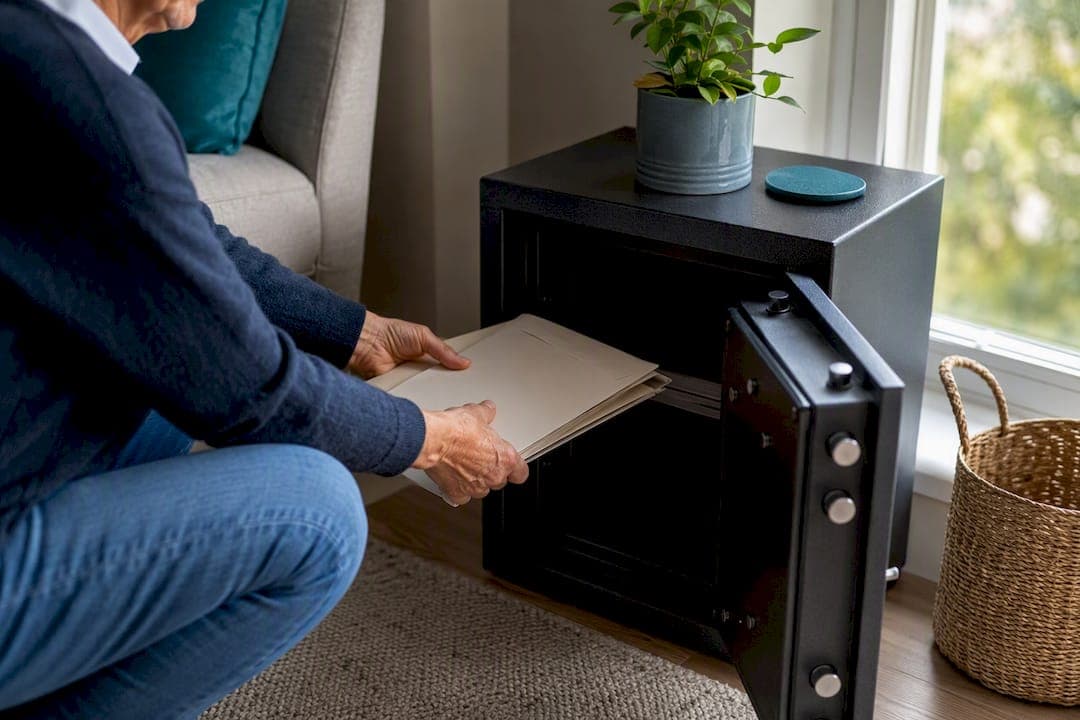
The plan that actually works has three layers: your originals go in a fire and water rated home safe that's heavy enough or bolted down so it can't walk out the door, a second copy lives off-site through an encrypted cloud backup or, for the rare irreplaceable item, a bank safe-deposit box, and a grab-and-go copy set sits by your exit for the day you need to leave fast. That's it. That's the whole system.
If you do nothing else this weekend, do this: buy a letter-size, UL-rated fire safe sized for your actual paperwork, and scan your irreplaceable documents before you file the originals away. Everything else in this guide builds on those two moves.
Here's your one micro-task for today, before you read another word:
- Gather your birth certificate, Social Security card, passport, property deed, and will into one pile. Slide them into a sealed envelope labeled "To safe." That's step one, done.
The rest, the safe-deposit box question, the encryption settings, the labeling system, is just refinement once that pile exists.
Key Takeaways
A layered system of a bolted fire and water rated safe, an encrypted off-site backup, and a tested grab-and-go kit protects your documents better than any single storage method alone.
| Point | Details |
|---|---|
| Tier your documents first | Sort into irreplaceable, replaceable, and low-stakes before deciding what goes in the safe. |
| Buy a rated, bolted safe | Choose a letter-size safe with fire and water ratings, and bolt or weight it against theft. |
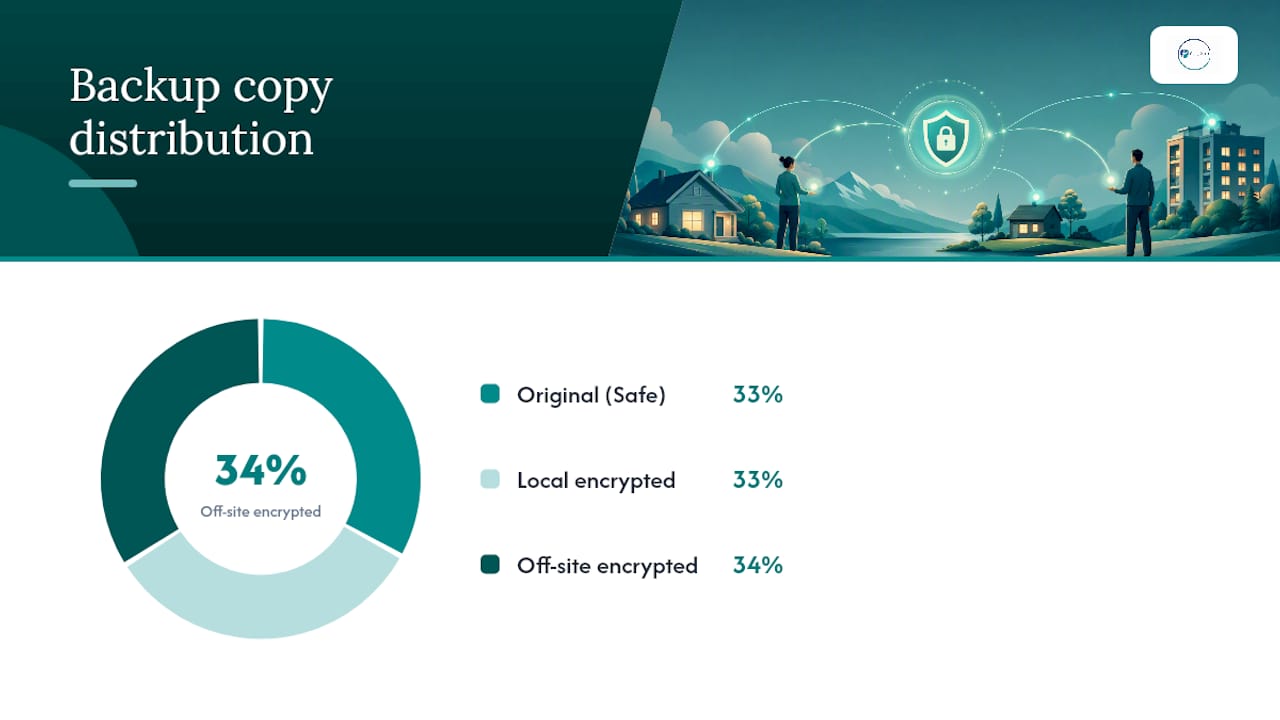
| Follow the 3-2-1 rule | Keep an original, a local scan, and an encrypted off-site copy of every Tier 1 document. |
| Build one index and tell one person | A single index sheet and a trusted contact make your system usable in an emergency. |
| Get a personalized review | Agingsolo's Clarity Session helps solo agers turn scattered paperwork into a working plan. |
Table of Contents
- Store Important Documents at Home: Which Ones Actually Matter
- Choosing and Placing a Home Safe for Your Documents
- The 3-2-1 Backup Rule for Household Documents
- What Goes in Your Grab-and-Go Document Kit
- Making Your System Findable by You (and Someone Else)
- Keeping the System Working: Annual and Event-Driven Updates
- Common Mistakes That Undo a Good System
- Aging Solo Guidance for Solo Agers Building This System
- Protecting Documents From Theft, Pests, and Humidity
- Disposing of Old or Duplicate Documents Securely
- Using Portable Storage Devices Safely
- A Weekend That Changes How Steady You Feel
- Get Personalized Help Organizing Your Documents
- Sources
- FAQ
Store Important Documents at Home: Which Ones Actually Matter
Not every piece of paper in your filing cabinet deserves the same protection. Sorting documents into tiers keeps you from either overprotecting junk mail or underprotecting the one thing you'll actually need in a crisis.
Tier 1: irreplaceable originals. These are documents that are difficult, expensive, or sometimes impossible to replace. Think birth certificates, Social Security cards, passports, marriage or divorce certificates, adoption papers, military discharge papers (DD214), property deeds, vehicle titles, your will, power of attorney, and healthcare directives. Losing these doesn't just mean paperwork hassle. It can delay estate settlement, insurance claims, or even travel plans for months.
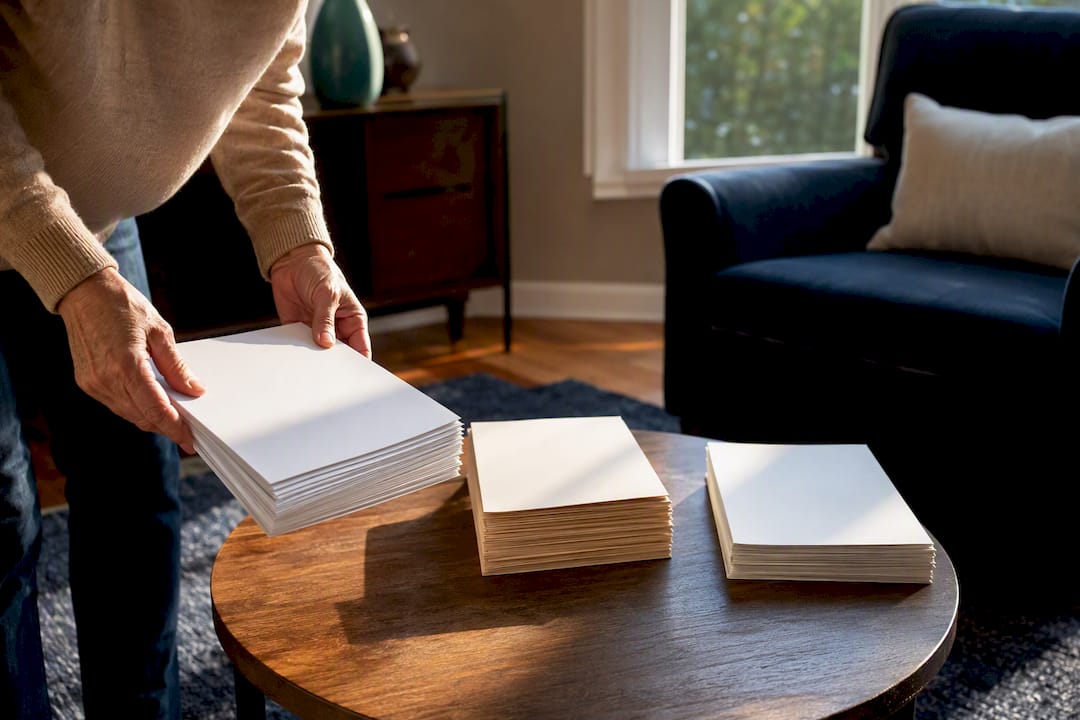
Tier 2: important but replaceable. Insurance policies, tax returns, loan documents, and property records fall here. Losing the original is inconvenient, but a call to the issuing institution usually gets you a replacement copy within days or weeks.
Tier 3: useful but low-stakes. Warranties, receipts for smaller purchases, and old statements. Keep digital scans if you want them for reference, but they don't need a spot in your fire safe.
For tax paperwork specifically, IRS guidance generally points to keeping returns and supporting records for three years, though some situations call for longer retention depending on the document type.
Your weekend triage checklist:
- Pull every document you own into one space, kitchen table works fine.
- Sort into three piles, Tier 1, Tier 2, Tier 3, using the definitions above.
- Scan every Tier 1 document before it goes into the safe.
- Shred or recycle anything that's outdated, duplicated, or genuinely Tier 3 clutter.
- Move Tier 1 originals into your safe and note their location on your index (more on that below).
Choosing and Placing a Home Safe for Your Documents
Not all "fireproof" safes are created equal, and the labels matter more than the marketing copy on the box. A UL-rated safe will state a specific temperature and duration it protects against, something like 350 degrees for 30 minutes. That's meaningful for paper, which starts to scorch around 400 degrees. It's a different story for digital media like external hard drives or USB sticks, which can warp or fail at much lower temperatures even inside a "fireproof" box. Treat any consumer fireproof box as a limited-time shield, not an indestructible vault. If a fire burns hot and long, cheaper safes can still fail on paper protection and almost always fail on electronics.
Water resistance matters just as much, since sprinkler systems and firefighting efforts often do more water damage than the fire itself. Look for safes rated for both fire and water, not just one or the other.
On sizing and security:
- Choose a letter-size or larger safe. A tiny lockbox that only fits a passport won't hold your full Tier 1 stack.
- Bolt the safe to the floor or a wall stud, or choose one heavy enough (100+ pounds) that it can't be carried out during a burglary.
- Skip portable "fire chests" for anything in Tier 1. They're better suited to Tier 2 documents you access often.
- Place the safe in a closet on a main living floor, not the basement or attic, where flooding, humidity, and temperature swings do slow damage even without a disaster.
For documents that stay in the safe long-term, use acid-free folders and polyester or Mylar sleeves rather than PVC plastic sleeves, which degrade paper over time. Store everything flat, never rolled, and away from direct light.
Pro Tip: Keep a small silica gel packet inside your safe. It absorbs ambient moisture and helps prevent the slow paper degradation that happens even in a "waterproof" container over several humid summers.
A bank safe-deposit box has its place, mainly for Tier 1 originals you rarely need, like a second copy of a deed or a valuable collectible's title. But safe-deposit boxes come with a real limitation: banks are only open during business hours, and after a death, boxes can be sealed pending legal access, which is the worst possible moment for a document to be locked away. Keep working copies of anything time-sensitive at home.
The 3-2-1 Backup Rule for Household Documents
Physical storage solves half the problem. The other half is making sure a house fire, flood, or theft can't wipe out your only copy of everything.
The 3-2-1 rule, borrowed from IT departments and scaled down for household use, means three copies of a document, on two different types of storage, with one copy off-site. In practical terms: your original in the safe, a scanned copy on your computer or an encrypted local drive, and an encrypted backup stored somewhere that isn't your house. An off-site encrypted cloud archive tends to be the copy people actually keep current, mainly because updating it doesn't require a drive across town.
For the off-site layer, you have a few solid options:
- An encrypted cloud storage service, ideally one offering end-to-end encryption, where even the provider can't read your files without your key.
- An encrypted external hard drive stored at a relative's house, a safe-deposit box, or your office.
- A password manager for anything involving login credentials, account numbers, or PINs, since these shouldn't live in a plain text file anywhere.
Look for services that use AES-256 encryption, the current standard for protecting data at rest, and always turn on multi-factor authentication (MFA) for cloud accounts holding sensitive scans. MFA means a stolen password alone can't unlock your files, since a second step, a code sent to your phone, for instance, is required too.
One pattern to avoid: dropping unencrypted PDFs into a shared family folder with no password protection. It's convenient, and it's also how a single compromised email account turns into a full identity theft event.
A workable file naming system saves you from digging through folders during a stressful moment. Try a format like LastName_DocumentType_Year (for example, Rivera_Passport_2024), organized into folders that mirror your physical safe's categories: Identity, Property, Financial, Medical, Legal. When your digital folders match your physical files one-to-one, you never have to remember two systems, just one.
What Goes in Your Grab-and-Go Document Kit
If you had ten minutes to leave your house, would you know exactly what to grab? A grab-and-go kit answers that question before it's ever asked.
FEMA's disaster-preparedness guidance recommends keeping copies of official documents in a waterproof container specifically for this reason: originals belong in your safe, not in a bag by the door where they're exposed to theft or damage on the way out.
Your kit should include:
- Photocopies or scans of your ID, passport, and Social Security card (never the originals).
- Copies of insurance cards, both health and property.
- A one-page medication list with dosages and prescribing doctors.
- A one-page contact and account sheet, banks, utilities, your trusted contact's phone number.
- Copies of key insurance policies and your healthcare directive.
- Optionally, an encrypted USB drive with scanned backups of everything above.
Keep the kit in a labeled waterproof pouch near your main exit, a front closet works well, and test it twice a year by opening it and confirming everything is current. Update it immediately after any life event that changes an account number, address, or medication.
Making Your System Findable by You (and Someone Else)
A perfectly organized safe does nothing for anyone if you're the only person who knows what's inside it or where the key is. AARP's organizing guidance makes this point directly: categorize your documents and keep a single index so someone else can find what they need without guessing.
Build one index sheet, physical or digital, that lists every category in your safe and where its matching digital folder lives. Think of it as a "home map" for your paperwork, not a full inventory, just enough that a trusted person could locate anything in under five minutes.
A few things that make this work:
- Use the same category names in your safe and your digital folders, so nothing gets lost in translation between systems.
- Label physical folders with archival-safe labels that won't peel or fade over years of storage.
- Name digital files consistently, as covered above, so a search for "insurance" pulls up everything relevant.
- Write a short letter of instruction, one page, explaining where the safe is, where the digital backup lives, and who has the login or key. Store one copy in the safe and give a sealed copy to your trusted contact.
That letter is often the single most useful document in the entire system, since it's the one that turns your organization into something someone else can actually act on.
Keeping the System Working: Annual and Event-Driven Updates
A document storage system isn't a one-time project. It needs a light annual touch and a quick update whenever life changes.
Once a year, run through this short list:
- Open the safe and confirm it still locks and seals properly.
- Open your encrypted backup and confirm the files still open and match your current documents.
- Check your index against what's actually in the safe, and add anything missing.
- Confirm your trusted contact still has the letter of instruction and still knows where things are.
Beyond the annual check, certain events should trigger an immediate update rather than waiting for your yearly review: a move, a marriage or divorce, buying property or a car, a new insurance policy, or a death in the family that changes beneficiary or executor details.
Test your encrypted backup by actually opening a file, not just confirming the backup ran. A backup that silently fails is worse than no backup, since you won't know until the moment you need it most.
Common Mistakes That Undo a Good System
A few patterns show up again and again, and each one has a fast fix.
- Relying on one storage layer. A safe alone isn't a system. Add an off-site encrypted copy and a grab-and-go kit this week.
- Unencrypted files in shared cloud folders. Move sensitive scans into an encrypted vault and turn on MFA today.
- No index, no one else in the loop. Write a one-page index now and tell one trusted person where it lives.
- Originals locked in a bank box you can't reach urgently. Keep working copies at home; save the box for rarely needed items only.
Aging Solo Guidance for Solo Agers Building This System
Naming one trusted contact matters more when there's no built-in backup person checking in on your paperwork. That single relationship, someone who knows where your letter of instruction lives and how to reach your attorney, does the job a spouse or nearby adult child might otherwise do.
Pairing your document system with broader emergency readiness closes the loop. Agingsolo's Legal Documents Checklist walks through exactly which legal papers solo agers need on hand, while the Living Alone Emergency Planning guide connects storage to the wider picture of preparing to live independently with confidence.
- Name one trusted contact and tell them where your index and letter of instruction live.
- Review your legal documents against Agingsolo's checklist at least once a year.
- Treat document storage as one piece of a larger, calm plan, not an isolated task.
Protecting Documents From Theft, Pests, and Humidity
Fire and flood get most of the attention, but three quieter risks do damage just as reliably: theft, pests, and humidity.
Theft protection starts with where your safe sits and how visible it is. A safe in a closet, out of sight from windows and doorways, deters the opportunistic burglar who's looking for something quick to grab. Bolting it down, as mentioned earlier, defeats the "just carry the whole safe out" approach that lighter models invite.
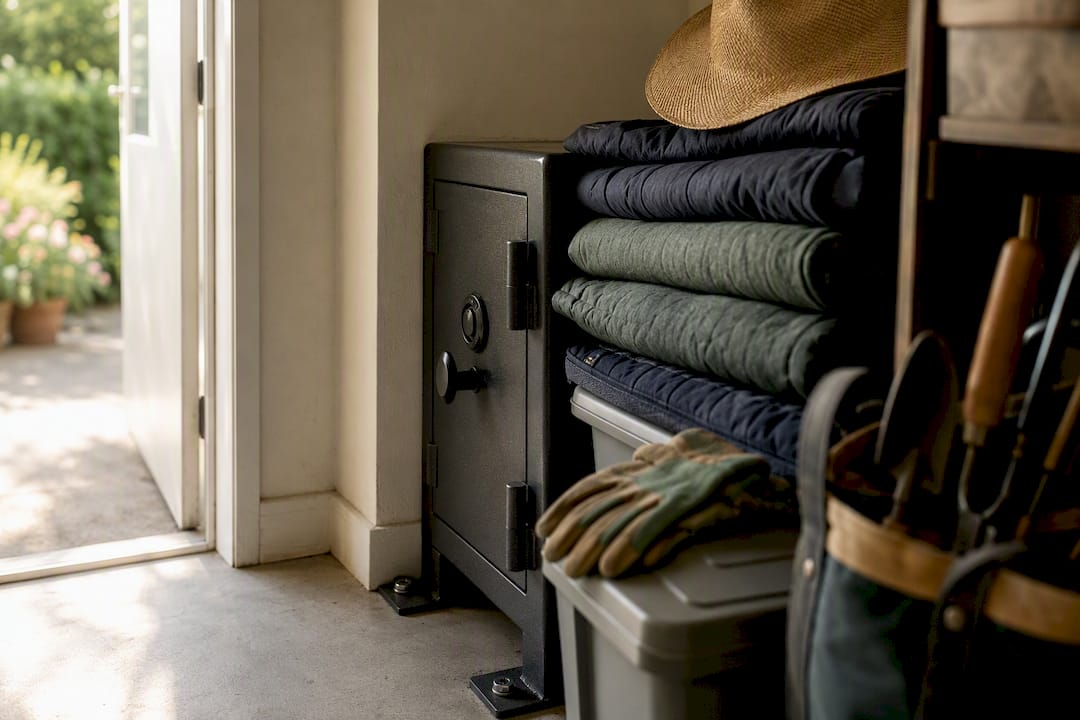
Pests are the risk nobody thinks about until it's too late. Silverfish, roaches, and rodents are drawn to paper and the adhesives in old envelopes and photo albums. Storing documents in sealed plastic bins inside your safe, rather than loose stacks, adds a layer pests can't easily get through. Avoid storing paperwork in cardboard boxes in a garage or basement long-term, since cardboard is essentially an invitation.
Humidity causes the slowest, least dramatic damage, but it's cumulative. Paper stored in a damp basement or an uninsulated attic absorbs moisture over years, leading to mold, warping, and ink fading long before any single disaster hits. The silica gel packet mentioned earlier helps inside a sealed safe, but the bigger fix is location: keep your safe on a climate-controlled main floor, not in a space that swings between damp and dry with the seasons.
Disposing of Old or Duplicate Documents Securely
Not every piece of paper deserves a spot in your system, and getting rid of the wrong ones the wrong way creates its own risk.
Shredding is the baseline for anything with a Social Security number, account number, birth date, or signature. A basic cross-cut shredder handles most household volume; for anything containing especially sensitive financial data, some communities offer free shredding events through banks, libraries, or local government offices worth checking for once a year.
Britannica's guidance on organizing documents supports the same principle: declutter regularly, keep only what you actually need, and shred outdated materials rather than letting duplicates pile up in filing cabinets or boxes.
Before you shred anything, confirm you no longer need it under IRS retention guidance covered earlier, and confirm a scanned digital copy exists if the document has any long-term reference value. Once both checks are done, shred the paper original rather than tossing it in the regular trash or recycling bin. For old hard drives or USB sticks you're retiring, physical destruction, not just deleting files, is the only way to guarantee the data can't be recovered by whoever ends up with the device next.
Using Portable Storage Devices Safely
An encrypted USB drive or portable hard drive is a smart add-on to your home safe, especially for the off-site or grab-and-go copy of your digital archive. But a few habits determine whether it helps or quietly becomes a liability.
Buy a drive with built-in hardware encryption rather than relying on software encryption alone, since hardware-encrypted drives protect data even if the device is plugged into an unfamiliar or compromised computer. Set a strong, unique passphrase, not a PIN you've reused elsewhere, and store that passphrase in your password manager rather than taped to the drive itself.
Keep the portable drive physically separate from your home safe. If both are in the same location, a single theft or fire takes out your entire backup at once, defeating the point of a second storage layer. A drive kept at a relative's house, in a desk at work, or in a small fireproof pouch inside your grab-and-go kit serves the purpose far better.
Test the drive twice a year by plugging it in and opening a file, the same spot-check habit that applies to cloud backups. Portable drives fail silently more often than people expect, and a drive you haven't tested in two years is really just a guess.
A Weekend That Changes How Steady You Feel
I think about a friend who spent a Sunday afternoon at her kitchen table, coffee going cold, sorting through a shoebox of paperwork she'd been meaning to deal with for a decade. She wasn't scared. She was, if anything, a little amused at how much power a shoebox had held over her for so long.
By that evening, the pile was gone. A small safe sat in her hall closet. A single sheet of paper told her sister exactly where to look if she ever needed to. Nothing about that afternoon was about fear. It was about closing a loop that had been quietly open, and feeling lighter for it.
Try scanning just one document tonight, your passport is a good place to start. Small, doable, done.
That kind of steadiness doesn't come from bracing for the worst. It comes from knowing your life is in order, so you're free to actually live it.
Get Personalized Help Organizing Your Documents
Agingsolo built the Legal Documents Checklist specifically because solo agers face a different challenge than families with built-in help: there's no one automatically double-checking the paperwork. That's where a second set of eyes, someone who knows exactly what solo agers need, makes the difference between a system you hope works and one you know does.

The 45-minute Solo Aging Clarity Session is a Zoom call built around your actual paperwork and your actual life, not a generic template. You walk away with a personalized review of what's covered, what's missing, and a one-page action list prioritized for your situation. If the shoebox-of-paperwork feeling sounds familiar, book a Solo Aging Clarity Session and get a plan that's actually yours, not a checklist pulled from somewhere else.
Sources
For legal or technical specifics beyond this guide, these sources go deeper:
FAQ
Where should I store important documents at home?
Keep Tier 1 originals in a fire and water rated safe on a main living floor, ideally bolted down, and avoid basements and attics where humidity and temperature swings cause slow damage over time.
What documents should I keep at home versus in a bank safe deposit box?
Keep frequently needed originals and working copies at home; reserve a bank safe deposit box for rarely accessed irreplaceable items, since boxes can be inaccessible during off-hours or after a death.
How do I organize important documents at home?
Sort documents into tiers by irreplaceability, store Tier 1 originals in your safe, scan everything, and keep one index sheet listing where each category lives in both your physical safe and digital folders.
What's the difference between a home safe and a safe deposit box?
A home safe gives you immediate access day or night, while a safe deposit box offers off-site protection but limited hours and possible legal holds after a death, which is why most households benefit from using both.
How often should I update my document storage system?
Run a quick annual check on your safe, backups, and index, and update immediately after events like a move, marriage, new property purchase, or a death that changes account or estate details.